Device Locked Again After Device Unlock
While there are various ways of locking Android devices, it is a pain to breach the lock screen and go within. But there are various ways lock screens tin be breached or bypassed and that needs the use of some steps and a piffling chip of endeavor. Though in that location are various means one can bypass the lock screen, all these ways are non effective for all the Android devices that nosotros see effectually us these days.
It is not an impossible task to pause into a locked device. What's required is to sift through some applications and tools which can serve the purpose. Fret not as you don't have to do the research, we have compiled the 7 all-time services to hack or bypass Android lock screen already. Below given are some ways on how to bypass the lock screen on Android devices such every bit unlock Motorola Phone, Alcatel Telephone, Vivo Phone, etc.
- Office i: Featherbed Android Lock With Dr.Fone - Screen Unlock (Android)
- Function 2: Replace Forgotten Password with Android Device Manager
- Part 3: "Find My Mobile" Service for Samsung only
- Function iv: Use "Forgot Pattern" Feature with Google Account Details
- Part v: Remove All Data and Locked Screen with A Factory Reset
- Part 6: Utilize ADB to Delete Password File
- Part 7: Featherbed App Lock Using Rubber Mode Boot
Part one: Bypass Android Lock With Android Lock Screen Removal
You can watch the video below virtually how to unlock your Android Phone, and yous tin can explore more from Wondershare Video Community.
MdFone from Wondershare is the best telephone unlocking software to remove the Android lock screen. It does not just bypass Android pattern locks, simply also works for PINs, passwords, etc. There will be absolutely no loss of data on your Android device. The process is very simple with few steps.

Dr.Fone - Screen Unlock (Android)
Remove 4 Types of Android Screen Lock without Information Loss
- It tin remove 4 screen lock types - pattern, Pin, countersign & fingerprints.
- Only remove the lock screen, no data loss at all.
- No tech knowledge asked everybody can handle it.
- Work for Samsung Galaxy South/Note/Tab series, and LG G2/G3/G4, etc.
3981454 people have downloaded it


Step 1. Launch MdFone on your computer and click "Screen Unlock".

Stride 2. Connect your Android phone to the reckoner using a USB cablevision. Click "Unlock Android Screen" to begin.
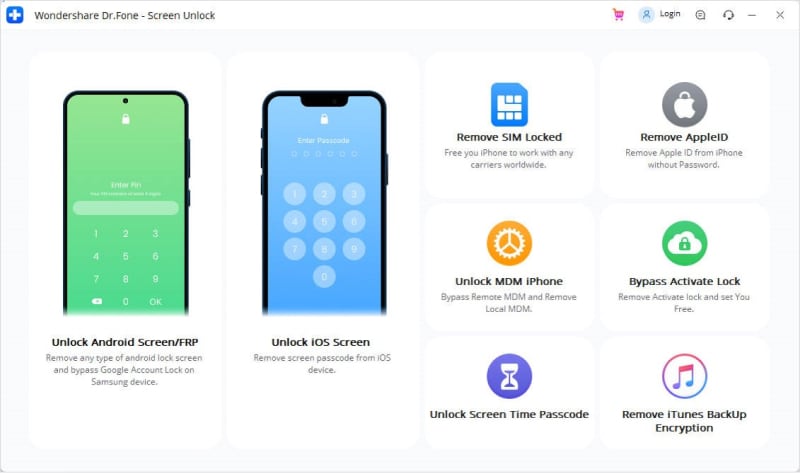
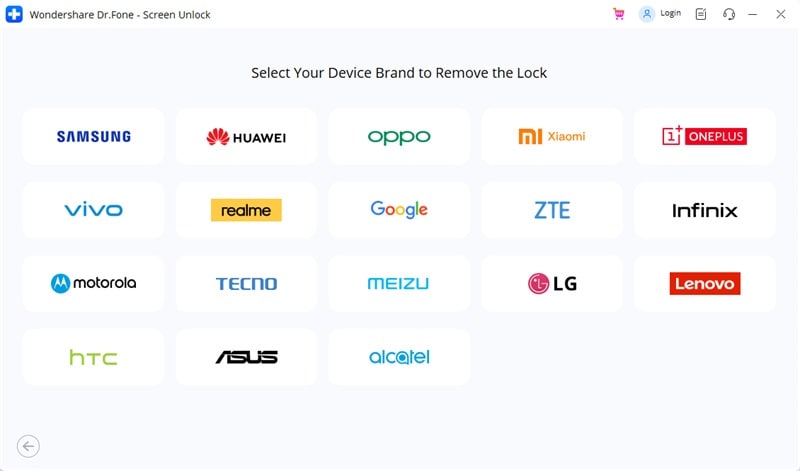
Pace three. And so confirm the information like telephone brand and model, etc. This information is very important for unlocking the lock screen.
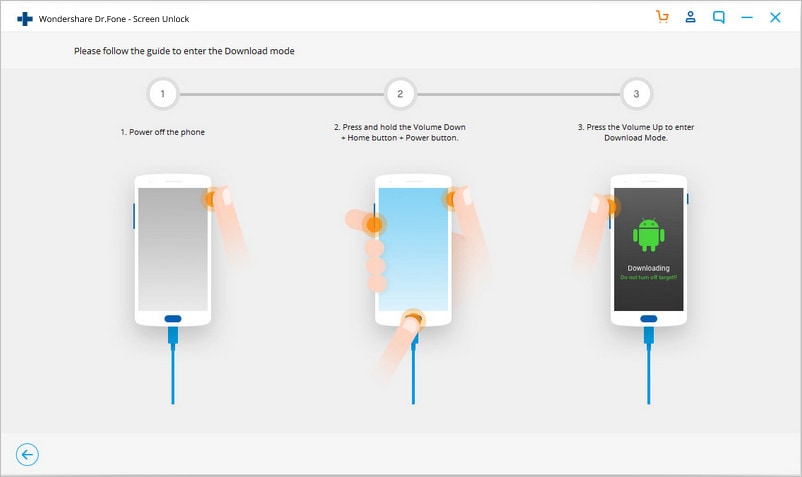
Step 4. Then boot the telephone into Download Manner. Power off the telephone and press and hold the volume down button along with the home and power button.
Step 5. After the device gets into download mode, the recovery package will be download next.
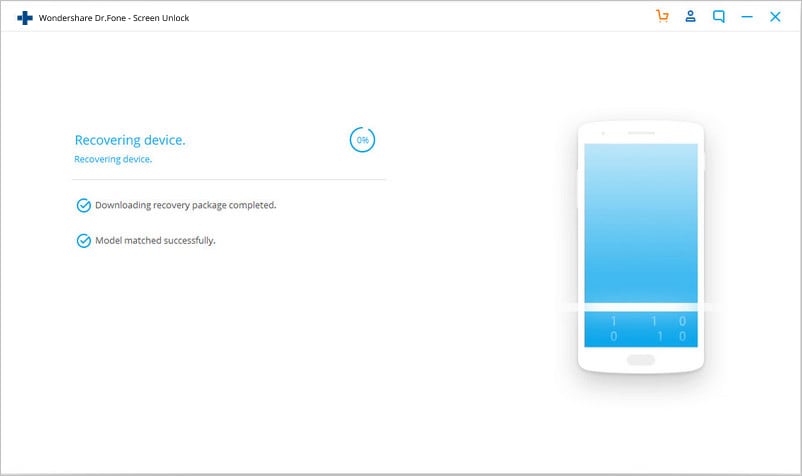
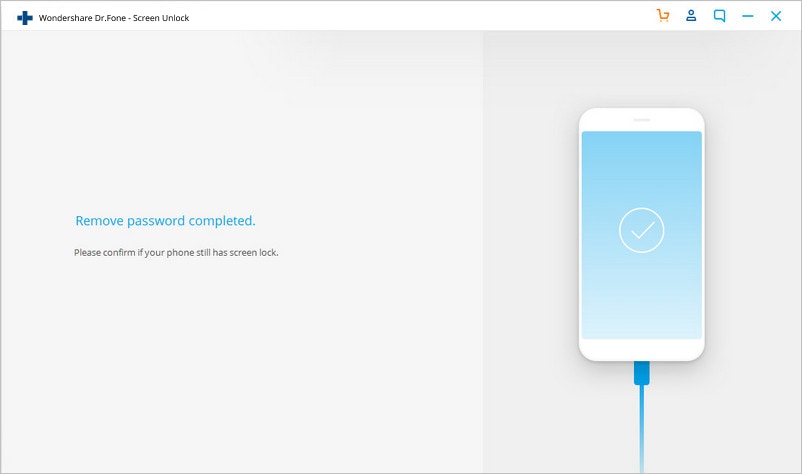
Step half dozen. Later on the download is complete, Android lock removal will begin. This will proceed all the data intact and remove the lock.
Pros
• This bypasses all kinds of lock screens like with pins, passwords, pattern locks, etc.
• The whole process can exist completed without losing whatsoever data.
Cons
• The overall process might take longer than the other tools.
Part ii: How to Bypass Android Lock With Android Device Manager
Android Device manager unlocking is probably the second-best service which can be used to bypass Android lock screen on locked Android smartphones and tablets. Working on this service is very simple and information technology works as long as the user logs in to the Google business relationship. This service can exist accessed and used on any device or any calculator.
At that place are a few steps that can be considered while moving along using this service to featherbed the lock screen. One time it is continued with the device, we can start by clicking on the "Lock" button. If the Android device is compatible, then the Android Device Manager will brand the connectedness with few attempts.
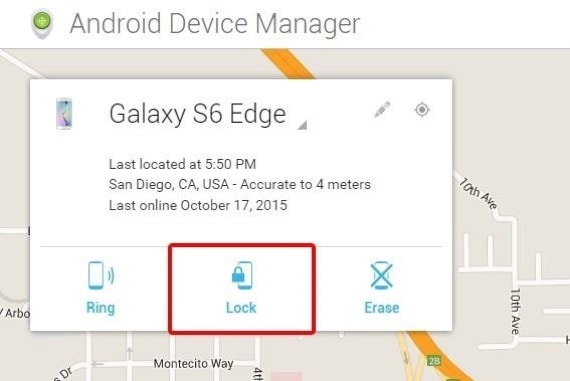
After clicking the "Lock" button, a window volition popular upwards asking a new password to supplant the pin, pattern, or password that nosotros have forgot.
Type the new countersign once and then again to ostend, followed by a click on the "Lock" Button.
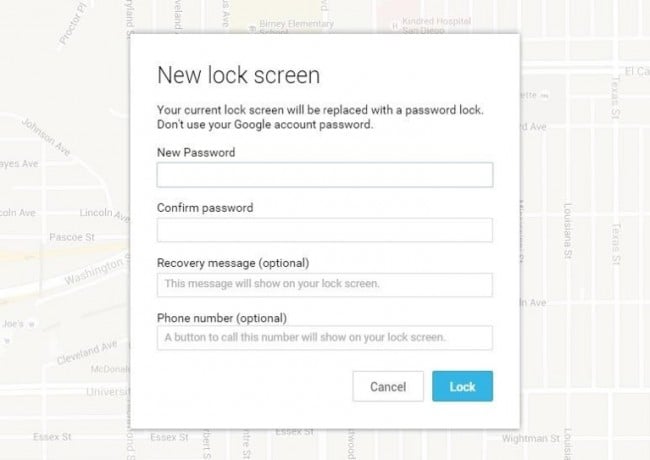
This will change the password in a few minutes and the new countersign can be used to unlock the device.
Pros
• These tin can exist used if you are logged in to Google account and any device can be used to access the service.
• This service is the best suitable for newer Android phones and tablets.
• The process is very simple and short.
Cons
• This process might have some attempts and might fail if the device is not uniform.
• It is not possible to get the location of the phone when lost if the device is offline or turned off.
Part 3: Featherbed Android Lock With Samsung's "Discover My Mobile" Service
This is one of the best services for the users who are searching for how to unlock galaxy S3, S4, S5, S6, S7, S8 devices. You need to be logged into the Samsung account to use this service.
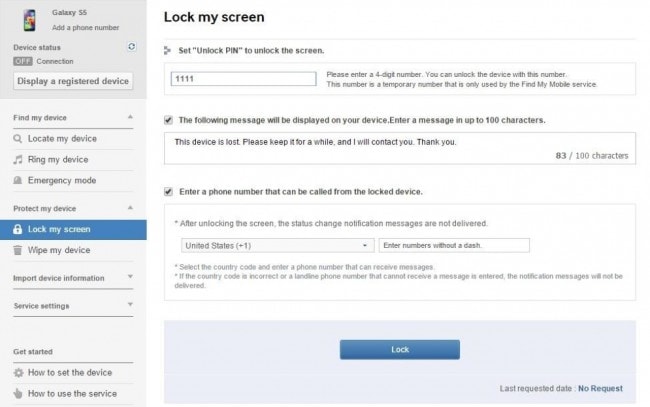
One time logged into the Samsung account, all one needs to do is click the "lock my screen" pick on the left and enter the new pin followed past a click on the "Lock" button which is present at the lesser. This will alter the lock password inside minutes. This helps bypass the Android lock screen without a Google account.
Pros
• This service is cracking for Samsung devices.
• The process and interface are very elementary.
• There are various other services that the application provides similar locating the device, wiping the device, etc.
Cons
• This works merely with the Samsung device.
• This service does not piece of work without setting up a Samsung business relationship or logging into the Samsung account.
• In that location are some carriers like "Dart" which lockout this device.
Part 4: Using the "Forgot Design" Default Characteristic
This characteristic is available by default on Android devices. After a few failed attempts, a message will popular up saying "Try again in xxx seconds". Below the message, click on the option which says "Forgot Pattern".
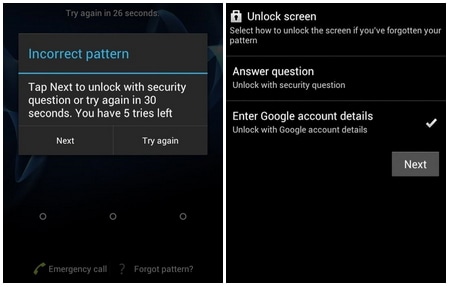
And so it is required to give Google account details. Afterward choosing the same, enter the primary Gmail account and password y'all used to set up your Android device. Google volition send an email with a new unlock pattern.
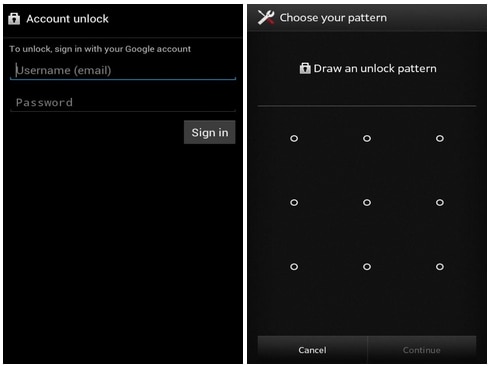
This will assist reset the pattern then and at that place.
Pros
• This is a simple feature to utilize which is inbuilt with most Android devices.
Cons
• This requires net access to reset the pattern this way which is not pragmatic every time.
Part 5: Factory Reset to Bypass Android Lock
Factory reset could be i of the solutions to bypassing the Android lock screen. This would work in almost every situation and with every Android telephone. If it is more than important to bypass the lock screen and get into the device than saving the data stored in the device, and so this method can exist used to get into a locked device. This involves a few simple steps only based on the device, the process may differ.
For most of the devices, one tin can offset past switching off the device. Press and hold the power button and the book buttons together when the screen goes black.
The Android bootloader bill of fare will popular up. Select the "Recovery mode" option by pressing the power push button. Use the volume button to switch between various options.
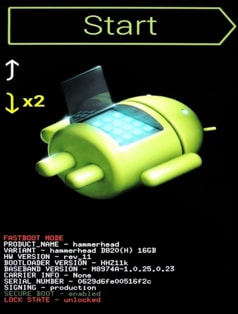
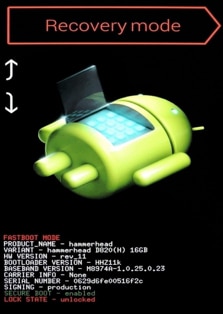
Wipe the data or choose manufacturing plant reset subsequently moving into the recovery mode and reboot the device in one case the procedure is complete and there will be no lock anymore on the device.

Pros
• Factory reset can be done on any Android device. So, irrespective of the device type and congenital, factory reset is possible on all the devices with only a few differences in the process.
• It is a very simple process of bypassing the lock screen.
Cons
• Factory reset deletes all the data stored in the device at one become.
Part six: Using ADB to delete password file
This selection works if the USB debugging is enabled in the past. This requires the phone to be continued to the computer using a USB data cable. A command prompt is and then opened in the ADB installation directory. Type the command mentioned below and click on enter.
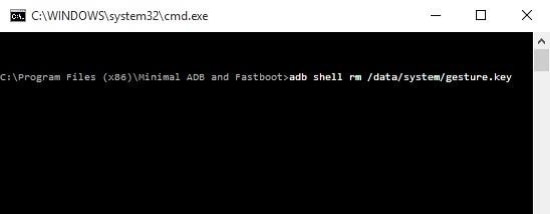
Reboot the phone to find no temporary lock screen. And so, information technology is imperative to set a new password or pattern before any farther reboot.
Pros
• It is a seamless manner to unlock the locked device this manner.
Cons
• It only works if the USB debugging is enabled on the phone from the past.
Part vii: Safety mode boot to the featherbed app lock screen
It is one of the simplest means to bypass the lock screen. Moreover, information technology is effective if the lock screen is a third-political party app and non stock.
Boot into rubber style by using the power off button and cull "OK".
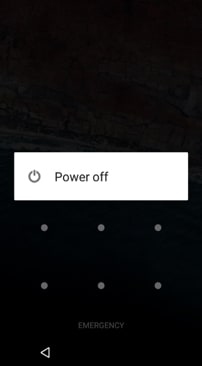
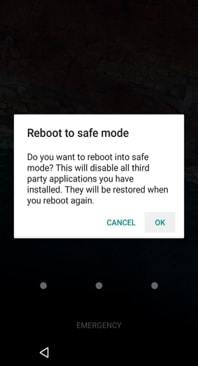
This will temporarily disable the 3rd-political party lock screen. Clear data of the lock screen app or uninstall it and go back out of safe manner past rebooting.
Pros
• It is i of the simplest means to featherbed the lock screen.
• It is very constructive in bypassing a third-party app lock screen.
Cons
• It is effective but for third party app lock screens and non stock lock screens.
And so, there are various ways lock screens on Android devices tin be bypassed. It all depends on which tool or applications best serves the purpose of bypassing lock screens on Android.
Source: https://drfone.wondershare.com/unlock/bypass-android-lock-screen.html
0 Response to "Device Locked Again After Device Unlock"
Post a Comment